![OXFORD_GLOBAL-LOGO_SYMBOL 500px.png]](https://lp.oxfordglobal.co.uk/hs-fs/hubfs/OXFORD_GLOBAL-LOGO_SYMBOL%20500px.png?height=40&name=OXFORD_GLOBAL-LOGO_SYMBOL%20500px.png)
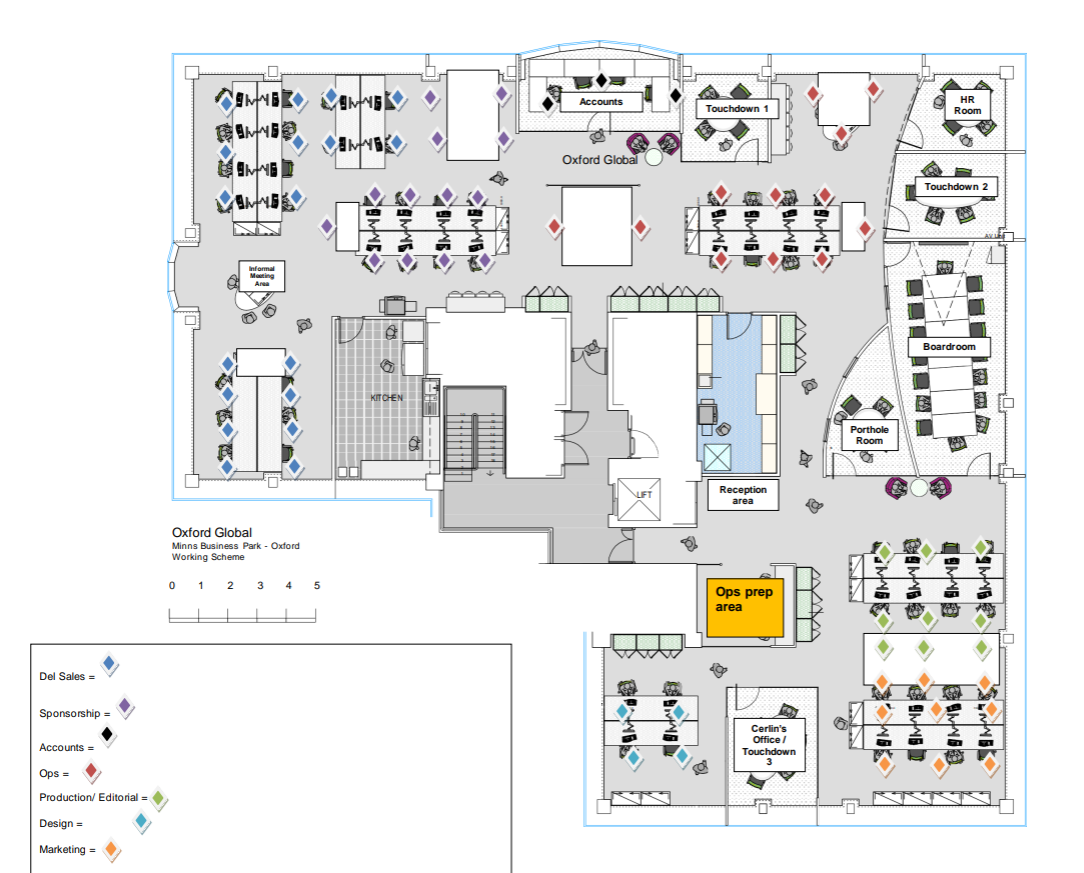
The Boardroom and Porthole meeting rooms are bookable for in-person meetings. Please ensure you book these when arranging a meeting, should you require a guaranteed private space. The other meetings rooms in the office (“Touchdown Rooms”) are not bookable and are for ad-hoc meetings less than 30 minutes, or for senior managers who do not have a seat on the office floor.
❓How to: book meeting rooms❓
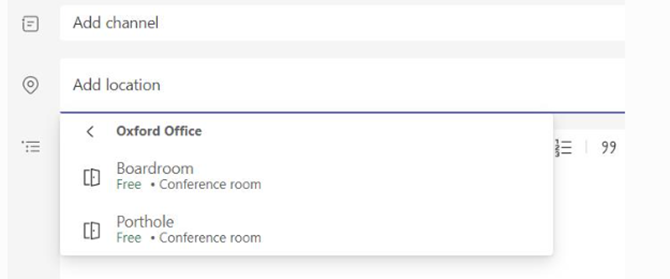
- You can book the Boardroom and Porthole room by selecting “Add Location” when arranging a meeting - as below:
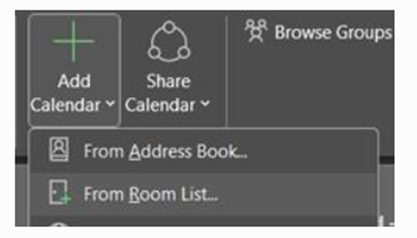
- If you want to add the Boardroom/Porthole calendar to your Outlook for greater visibility, select “Add Calendar” -> "From Room List" and select the room:
👍Meeting room etiquette👍
- The Boardroom and Porthole room are bookable for in-person meetings. Please ensure you book these when arranging a meeting should you require a guaranteed private space.
- Touchdown Rooms are not bookable and are for ad-hoc meetings less than 30 minutes, or for Sr Staff who do not have a seat on the office floor.
- The HR Room/Cerlin's office can also be used as Touchdown Rooms when not in use on particularly busy days - please double check with Rosie/Cerlin (if they are in office) if you are able to use these rooms.
- Sales calls (unless in training) should be taken on the office floor rather than in meeting rooms - Sales teams have been provided with noise cancelling headphones (please speak with Tom Cashman if you are unsure).
- There are various areas around the office (kitchen, table near Sales, picnic tables on ground floor etc) which are not private but can be used for informal meetings should you not wish to hold these at your desk.
📍Floor plan📍